Author: tongtong331

  • Risk & Compliance Disclaimer for Crypto Trading

    Risk & Compliance

    Risk & Compliance Disclaimer for Crypto Trading

    A clear warning about crypto trading risk, leverage, restricted jurisdictions, informational use, and the limits of this website.

    Crypto prediction markets and leveraged trading risk disclosure

    Trading decentralized perpetual contracts, binary options, and prediction markets involves significant risk and may result in the loss of your entire capital. These products can move quickly, settle under specific rules, and expose users to liquidation, volatility, funding, oracle, liquidity, and execution risk.

    Core risk and compliance disclaimer

    Important risk warningTrading decentralized perpetual contracts, binary options, and prediction markets involves significant risk and may result in the loss of your entire capital. The extreme degree of leverage available can work against you as well as for you. TurboFlow products and services are not intended for, and are strictly prohibited from being accessed by, residents or citizens of the United States, Canada, Iran, North Korea, and other restricted jurisdictions as defined by international sanctions. This website is for informational and educational purposes only and does not constitute financial, legal, or investment advice.

    Leverage can accelerate losses

    Leverage allows a trader to control a larger position with less collateral. That can increase gains, but it also makes losses and liquidation risk arrive faster. A small market movement against a highly leveraged position can close the position and consume the collateral assigned to it.

    Users should not treat maximum leverage as a recommendation. Position size, collateral, liquidation level, funding exposure, and market volatility should be reviewed before every order.
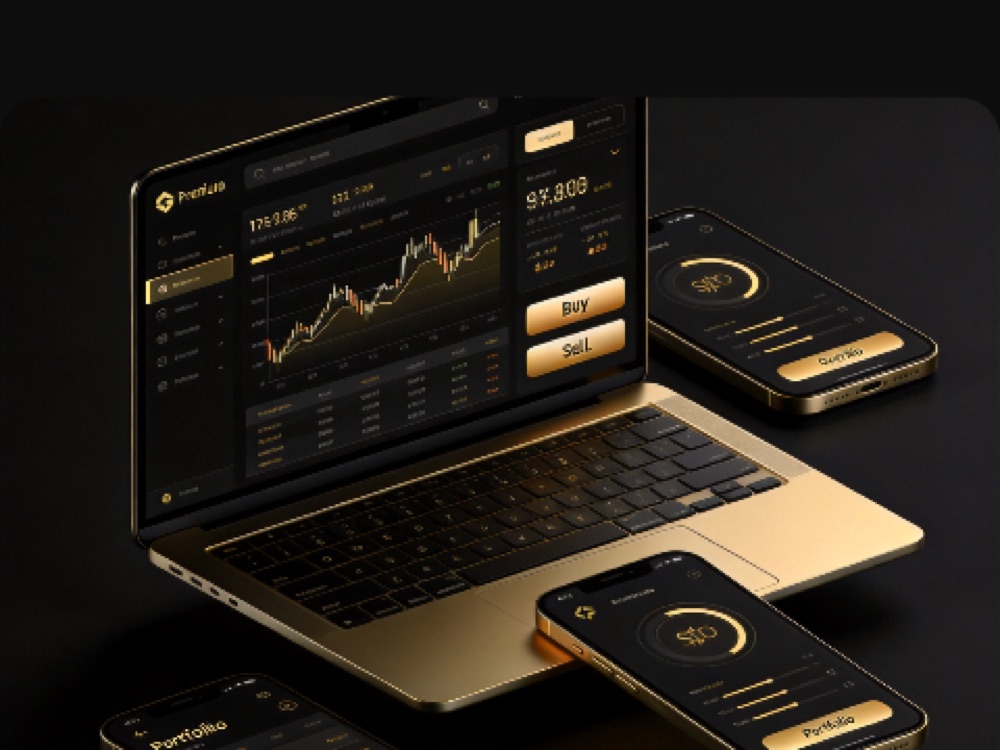
    Leveraged crypto trading dashboard used for risk and compliance review
    Before confirming an order, users should review direction, collateral, leverage, fees, liquidation estimate, and settlement rules.

    Binary options and prediction market risk

    Crypto binary options and prediction markets can appear simple because outcomes are framed around direction or event resolution. Simplicity does not remove risk. Settlement depends on the market rules, timing, data source, oracle method, and any conditions stated before entry.

    Users should understand what determines a winning or losing outcome, when settlement occurs, and whether the market can be affected by delayed data, disputed events, or exceptional conditions.

    No financial, legal, or investment advice

    TurboFlowTrade content is provided for informational and educational purposes. It does not recommend that any person buy, sell, hold, trade, hedge, or use any digital asset, derivative, prediction market, binary option, or decentralized finance product. Users should consult qualified professional advisers where legal, tax, financial, or regulatory questions apply.

    Restricted jurisdictions

    TurboFlow products and services are not intended for users in restricted jurisdictions. Access is strictly prohibited for residents or citizens of the United States, Canada, Iran, North Korea, and other restricted locations defined by international sanctions, local law, or product rules. Users should not bypass controls using VPNs, proxies, nominee accounts, or third-party wallets.

    No custody statement

    TurboFlowTrade serves as an independent informational portal and interface for the TurboFlow decentralized protocol. We do not hold custody of user funds or manage on-chain liquidity. For direct protocol inquiries, users should refer to official governance documentation and protocol resources.

    Market, oracle, and technology risk

    • Market prices can move faster than expected during volatility.
    • Oracle or reference-price systems may update at intervals or experience disruption.
    • Network congestion can delay transactions or increase costs.
    • Smart contracts, wallets, bridges, and third-party infrastructure can contain defects or operational risks.
    • Past performance, advertised payout, or visible liquidity does not guarantee future results.

    User responsibility checklist

    1. Confirm that access is legal in your jurisdiction.
    2. Read product rules before entering a market.
    3. Use only capital you can afford to lose.
    4. Review fees, funding, liquidation, and settlement terms.
    5. Do not share private keys, seed phrases, passwords, or one-time codes.
    6. Stop using the website if any restriction applies to you.

    Read the full risk framework

    Review product risk, restricted regions, privacy, and AML guidance before using crypto derivatives or prediction markets.

    Review AML & Restricted Regions

    Trade from $2

  • Cookie Policy for a Crypto Trading Website

    Cookie Policy for a Crypto Trading Website

    Cookie Policy

    Cookie Policy for a Crypto Trading Website

    A transparent cookie policy for users who want to understand website storage, analytics, security signals, preferences, and control options.

    TurboFlowTrade website privacy and cookie settings on a mobile dashboard

    This Cookie Policy explains how TurboFlowTrade may use cookies and similar technologies on an informational crypto trading website. Cookies are small files or browser storage entries that help a site remember preferences, maintain security, measure performance, and understand how pages are used.

    TurboFlowTrade is not a custodian of user funds and this website is not itself an exchange matching engine. Still, a crypto trading information portal can use limited browser storage for security, analytics, page performance, affiliate attribution, and user experience.

    Types of cookies we may use

    CategoryPurposeExamples
    Essential cookiesKeep basic site functions available and secure.Session integrity, security checks, load balancing.
    Preference cookiesRemember user choices that improve browsing.Language, region display, dismissed notices.
    Analytics cookiesHelp understand which pages users read and where errors occur.Page visits, referral source, device type.
    Performance cookiesMeasure speed and stability.Load time, script errors, broken layout signals.
    Affiliate attributionTrack referral links when a user arrives through a campaign.Referral code, campaign source, landing page.
    Crypto trading website interface with privacy and analytics controls
    Cookie settings should help explain what data is used, why it is used, and how users can control it.

    Strictly necessary storage

    Some cookies or local storage entries are needed for the website to load safely, remember consent choices, prevent spam, or protect forms from abuse. These technologies do not usually require optional consent because the site may not function properly without them.

    Analytics and measurement

    Analytics help improve the website by showing which pages are useful, which keywords bring users to the site, and where visitors encounter friction. When used, analytics should be configured to collect only what is necessary for measurement and should avoid sensitive wallet secrets, passwords, private keys, or unnecessary personal details.

    Security and fraud-prevention signals

    A crypto trading website may use security tools to detect automated abuse, suspicious form submissions, malicious scripts, or repeated requests from the same environment. These signals help protect users and the site, but they should not be confused with custody of funds or control over a user’s wallet.

    Third-party services

    Some pages may contain links or embeds from third-party services such as analytics providers, social networks, community platforms, infrastructure providers, or official protocol resources. Those services may set their own cookies when users interact with them. Users should review the privacy and cookie notices of the third-party service before relying on it.

    How users can control cookies

    • Use browser settings to delete or block cookies.
    • Use private browsing modes when researching general information.
    • Disable optional analytics where a consent tool is available.
    • Clear site data if a shared or public device was used.
    • Review browser extensions that may read or modify website data.
    Do not store secrets in browsersNever save seed phrases, private keys, recovery codes, or authenticator backup keys in a browser note, extension, screenshot, or website form.

    Updates to this policy

    Cookie practices may change when the website adds new analytics, security, consent, or performance tooling. The current version of this page should be reviewed together with the Privacy Policy and Terms of Service.

    Review privacy and cookies together

    Cookie controls work best when read with the broader privacy policy and account-security guidance.

    Read Privacy Policy

    Trade from $2

  • AML & Restricted Regions for Crypto Trading

    AML & Restricted Regions for Crypto Trading

    AML & Restricted Regions

    AML & Restricted Regions for Crypto Trading

    A practical compliance guide covering anti-money-laundering controls, sanctions expectations, restricted jurisdictions, and user responsibilities.

    TurboFlowTrade compliance review for AML and restricted regions

    AML and restricted-region controls are part of responsible crypto trading infrastructure. TurboFlowTrade is an independent informational portal and interface for the TurboFlow decentralized protocol, so users remain responsible for understanding whether access is permitted in their location and whether their activity complies with applicable laws.

    This guide explains the standards users should expect around anti-money-laundering checks, sanctions awareness, prohibited jurisdictions, and account activity reviews. It is written for education and trust-building; it is not legal advice.

    Why AML controls matter in crypto trading

    Anti-money-laundering programs are designed to reduce the risk that financial systems are used for fraud, sanctions evasion, terrorist financing, stolen assets, or other illicit activity. In digital asset markets, that work often includes wallet screening, transaction monitoring, identity review where required, and investigation of unusual behavior.

    Regulatory guidance in the United States and other major jurisdictions treats many virtual-asset intermediaries as financial businesses when they transmit, exchange, or administer value. Even where a protocol is decentralized, front-end access, informational portals, and user interfaces may still need careful controls to avoid facilitating prohibited activity.

    Crypto trading dashboard reviewed for AML and restricted region controls
    Trading access should be reviewed together with user location, wallet activity, and market risk.

    Restricted regions and prohibited access

    TurboFlow products and services are not intended for, and are strictly prohibited from being accessed by, residents or citizens of the United States, Canada, Iran, North Korea, and other restricted jurisdictions as defined by international sanctions or applicable law. Additional restrictions can apply based on citizenship, residency, IP location, wallet activity, sanctions lists, or local derivatives rules.

    Users should not use a VPN, proxy, remote desktop service, nominee account, or third-party wallet to bypass a jurisdictional restriction. Attempting to hide location or identity can lead to blocked access, additional review, or permanent loss of eligibility to use related services.

    Do not bypass restrictionsIf your country, citizenship, residency, or local law prohibits access to crypto derivatives, binary options, prediction markets, or decentralized perpetual contracts, you should not use the interface.

    Sanctions screening expectations

    Sanctions compliance focuses on avoiding transactions involving blocked persons, sanctioned entities, embargoed jurisdictions, and wallet addresses linked to prohibited activity. Screening may consider public sanctions lists, blockchain analytics, transaction history, source-of-funds indicators, and attempts to interact with high-risk services.

    A transaction can be reviewed even when the user believes it is legitimate. Common triggers include exposure to sanctioned wallets, mixers, darknet markets, stolen funds, ransomware flows, unusual deposit patterns, or location signals inconsistent with account declarations.

    Activity that may require review

    SignalWhy it mattersPossible result
    Restricted-region accessThe user appears to access from a prohibited jurisdiction.Access may be blocked or reviewed.
    Sanctions exposureA wallet or transaction appears linked to sanctioned activity.Funds or account activity may require additional checks.
    Unusual transfer patternRapid deposits, withdrawals, or split transfers can indicate evasion.Manual review may be required.
    Identity mismatchAccount, wallet, location, or device signals conflict.Access may be limited until resolved.

    User responsibilities

    • Confirm that crypto futures trading, binary options, prediction markets, and decentralized perpetual contracts are legal in your jurisdiction.
    • Do not access the platform from a restricted region or on behalf of a restricted person.
    • Do not use funds connected to theft, fraud, sanctions evasion, ransomware, darknet activity, or other illegal sources.
    • Keep your account, wallet, and contact information accurate when compliance checks are required.
    • Stop using the interface if your legal status or location changes in a way that makes access prohibited.

    How compliance reviews protect users

    Effective AML and restricted-region controls are not only regulatory obligations. They also help reduce fraud, impersonation, stolen-fund exposure, and market abuse. A cleaner trading environment improves user confidence, protects legitimate participants, and makes long-term protocol access more sustainable.

    Compliance standards can change. This page should be read together with the live Terms of Service, Privacy Policy, Risk Warning, and any official protocol documentation available at the time of access.

    Review risk and compliance before trading

    Read the risk disclaimer and restricted-region guidance before using crypto derivatives or prediction markets.

    Read Risk Disclaimer

    Trade from $2

  • TurboFlowTrade Help Center & Contact Support

    TurboFlowTrade Help Center & Contact Support

    Help Center

    TurboFlowTrade Help Center & Contact Support

    Quick answers for common account and trading issues, plus a safe checklist for contacting TurboFlowTrade support.

    TurboFlowTrade support and operations team

    Most platform questions can be resolved faster when the exact account area, asset, network, order, and time are identified. This help center groups the first checks for login, funding, trading, fees, and account safety.

    Login and account access

    If login fails, confirm that the correct email or wallet is being used and that the device clock is accurate for authenticator codes. Wallet users should verify the active network and account in the wallet extension. Do not create repeated accounts as a workaround for an access issue.

    Deposit not showing

    1. Check the transaction hash in the correct blockchain explorer.
    2. Confirm the asset and network match the selection shown on the deposit screen.
    3. Wait for the required network confirmations.
    4. Collect the address, amount, transaction hash, and transfer time before contacting support.

    Withdrawal pending or rejected

    Confirm that all security checks were completed and that the destination address supports the selected network. A recent account-security change, network congestion, unusual activity, or a large transfer can require additional processing.

    TurboFlowTrade mobile dashboard for account and support checks
    Start troubleshooting from the authenticated dashboard and transaction history.

    Order or position question

    Open account activity and note the market, order ID, order type, direction, fee mode, collateral, leverage, requested price, fill price, and timestamp. A screenshot can help, but remove balances or personal details that are unrelated to the issue.

    Fee question

    Separate the possible cost sources: flat trading fee, Profit-Only share, funding, network charge, and conversion or bridge cost. The transaction record and order preview are the best references for identifying which cost applied.

    Account security

    Support will never need your recovery secretNever send a seed phrase, private key, password, authenticator setup key, or one-time verification code. Anyone requesting those details should be treated as an impersonator.

    Use the official website, enable available two-factor protections, verify URLs before connecting a wallet, and remove unknown wallet connections. If unauthorized activity is suspected, stop trading, secure the email and wallet first, and then contact support with the account identifier and relevant transaction details.

    Contact TurboFlowTrade support

    Email support@turboflowtrade.com or call +1 (609) 620-9818. Official community updates are also available through Telegram and X.

    Include these details

    • A concise description of what happened and what you expected.
    • Account ID or referral code, but never login credentials.
    • Asset, network, market, or order ID involved.
    • Transaction hash for deposits and withdrawals.
    • Timestamp with time zone and a sanitized screenshot if useful.

    Prepare a clear support request

    Providing the transaction or order reference at the start helps the support team identify the right record faster.

    Email Support

    Trade from $2

  • TurboFlowTrade Trading Tutorial: From Login to Closing a Position

    TurboFlowTrade Trading Tutorial: From Login to Closing a Position

    Trading Tutorial

    TurboFlowTrade Trading Tutorial: From Login to Closing a Position

    Move from account access to a reviewed order and planned exit without skipping the controls that matter.

    TurboFlowTrade mobile crypto trading app tutorial

    This tutorial follows the normal path from account access to closing a perpetual position. Interface labels can change as features are updated, but the decision sequence remains useful: secure the account, fund it correctly, choose a market, review the order, and plan the exit before confirming.

    1. Sign in securely

    Open TurboFlow from a trusted bookmark and choose the available email or wallet login method. If a wallet connection is used, read the wallet prompt before approving it. A login request should not require a seed phrase or private key.

    Enable the available email and authenticator protections before keeping a meaningful balance on the account.

    2. Review the dashboard

    The dashboard is the control center for balances, deposits, withdrawals, positions, and activity. Confirm that the account identifier and expected wallet connection are visible before transferring funds.

    TurboFlowTrade futures dashboard used in the trading tutorial
    The same core controls should remain clear across desktop and mobile layouts.

    3. Add trading collateral

    Select Deposit, choose the supported stablecoin and network, then transfer from a wallet or exchange using the same chain. Wait for confirmation and verify that the balance appears before opening the trading screen.

    4. Choose the market and direction

    Select the asset pair and decide whether the market view is long or short. A long benefits from a rise; a short benefits from a fall. Check the current reference price, volatility, and any platform notice affecting the market.

    5. Select an order type

    Market

    Use when immediate execution matters more than setting an exact entry. The final fill may change while the order is processed.

    Limit

    Use when entry price matters more than immediate execution. The order may remain open or never fill.

    6. Set collateral and leverage

    Enter the collateral amount and choose leverage. Read the estimated position size and liquidation level together. If the liquidation estimate is too close to the entry price, reduce leverage or position size rather than relying on a last-second exit.

    7. Choose the fee mode

    Compare flat-fee and Profit-Only pricing when both are available. Review the order preview for trading cost, estimated price impact, and funding information. The selected fee model should be visible before confirmation.

    Final review before confirmationCheck the asset, long or short direction, order type, collateral, leverage, fee mode, estimated liquidation price, and total position size one last time.

    8. Monitor and close the position

    After execution, use the positions list to follow unrealized profit and loss, margin, funding timing, and current liquidation estimate. A market close prioritizes immediate exit. A limit close waits for a chosen price. Some interfaces may also offer a reverse action that closes the current exposure and opens the opposite direction.

    Review the completed trade in account activity to confirm the fill price, realized result, funding, and fee.

    Practice good position hygiene

    • Start with a small order while learning the interface.
    • Avoid using maximum leverage as a default.
    • Do not leave a position unattended during major market events.
    • Keep enough balance for planned risk, not for emotional averaging.
    • Close or reduce exposure when the original trade idea is invalidated.

    Ready to review a live order?

    Use a small position first and verify every field in the order preview before confirming.

    Open TurboFlow

    Trade from $2

  • How to Deposit and Withdraw Crypto on TurboFlowTrade

    How to Deposit and Withdraw Crypto on TurboFlowTrade

    Account Funding

    How to Deposit and Withdraw Crypto on TurboFlowTrade

    A step-by-step funding guide for supported stablecoins, networks, confirmations, withdrawals, and common transfer checks.

    TurboFlowTrade account funding and mobile dashboard

    Crypto transfers are irreversible, so the most important part of funding an account is not speed. It is matching the asset, network, and address shown in the account dashboard. TurboFlow public documentation identifies USDT and USDC support over available Solana and BNB Chain routes, subject to the options shown in the live deposit screen.

    Before sending funds

    • Open the deposit screen from the authenticated TurboFlow dashboard.
    • Select the asset first, then select a network supported for that asset.
    • Confirm that the sending wallet or exchange supports the same network.
    • Copy the complete deposit address and compare the first and last characters.
    • Use a small test transaction when funding a new address for the first time.
    TurboFlowTrade account dashboard and trading devices
    Use the account dashboard as the source for current asset, network, and address details.

    Direct deposit and connected-wallet deposit

    Depending on login method and network availability, the dashboard may show a direct deposit address or a connected-wallet flow. A direct deposit sends assets to the unique address displayed for the account. A connected-wallet deposit requests approval from the wallet and submits the transfer after the amount is entered.

    Email-based accounts may have different funding options from wallet-connected accounts. Follow the options available in the authenticated dashboard rather than a screenshot from another user.

    Deposit confirmation

    After broadcast, the transaction must be confirmed by the selected blockchain and then recognized by the platform. Confirmation time varies with network activity. Keep the transaction hash; it is the most useful reference if a transfer does not appear after the expected confirmation period.

    Do not send unsupported assetsA valid address does not mean every token or network is accepted. Sending an unsupported asset, using a smart-contract route that is not accepted, or choosing the wrong chain can prevent automatic credit.

    Withdrawing funds

    1. Open the withdrawal section and select the asset and destination network.
    2. Paste the receiving address and verify that it belongs to the selected network.
    3. Review the minimum withdrawal, network charge, and final amount to be received.
    4. Complete the required email or authenticator verification.
    5. Save the withdrawal record and blockchain hash after submission.

    Why a withdrawal may be reviewed

    Large withdrawals or activity that appears to bypass account or market controls may receive additional review. These checks are intended to protect platform integrity and user funds. A review can take longer than a routine transfer, particularly when network congestion or account security changes are involved.

    Troubleshooting a missing transfer

    Before contacting support, confirm the transaction status in a blockchain explorer. Then collect the account identifier, asset, network, amount, destination or deposit address, transaction hash, and approximate time. Never send a private key, seed phrase, password, or one-time code.

    Need help with a transfer?

    Use the support checklist so the team can identify the transaction without requesting sensitive credentials.

    Contact Support

    Trade from $2

  • TurboFlowTrade Fee Schedule: Flat Fees vs Profit-Only Fees

    TurboFlowTrade Fee Schedule: Flat Fees vs Profit-Only Fees

    Fee Schedule

    TurboFlowTrade Fee Schedule: Flat Fees vs Profit-Only Fees

    A clear comparison of TurboFlowTrade fee modes and the other costs that can affect a crypto futures position.

    TurboFlowTrade fee comparison beside a crypto market chart

    Trading cost is easier to manage when the charge is understood before the order is placed. TurboFlowTrade provides two fee approaches for eligible perpetual markets: a standard flat-fee model and Profit-Only pricing. They solve different problems, so the lower-cost choice can depend on trade duration, volatility, and outcome.

    Flat-fee trading

    Flat pricing resembles the cost model used by many exchanges. The order preview estimates trading fees and price impact. Public TurboFlow documentation currently describes many asset fees in a range of roughly four to six basis points, but the live ticket is the authoritative rate for the selected market.

    The displayed opening charge may account for both entry and expected closing cost. This means traders should read the transaction detail rather than assuming that every charge is collected only at the moment a position is closed.

    Profit-Only fees

    Profit-Only pricing is designed to avoid an upfront trading fee on eligible positions. When a trade closes in profit, the platform receives a portion of the positive result according to the current Profit-Share calculation. When a trade closes at a loss, the model does not add a trading fee to that losing outcome.

    Profit-Only does not remove market riskA position can still lose collateral, be liquidated, or be affected by funding and network costs. The fee model changes how the platform trading charge is collected; it does not protect principal.
    Cost itemFlat-fee modeProfit-Only mode
    Upfront trading chargeEstimated before confirmation.No eligible trading charge at entry.
    Price impact / slippageCan be reflected in the order estimate.Designed around oracle-based execution within product limits.
    Losing tradeTrading cost still applies.No profit-share charge when the position closes at a loss.
    Winning tradeResult belongs to the trader after fixed costs.A disclosed share of profit is collected.
    TurboFlowTrade futures order screen showing cost and position information
    The live order preview should be used to verify the current fee mode and estimated cost.

    Funding fees

    Funding is a recurring transfer associated with perpetual contracts. It is not the same as the platform trading fee. The interval and direction can vary by token and market conditions. A trader who holds a position across a funding timestamp may pay or receive the displayed amount.

    Network and conversion costs

    Deposits, withdrawals, and cross-chain transfers can carry blockchain gas, bridge, or conversion costs. Those charges are separate from the trading fee and may be paid to network validators or infrastructure providers. Selecting the wrong network can also lead to a failed or unrecoverable transfer.

    How to compare the two models

    • Use the live order ticket to compare the flat estimate with the Profit-Only percentage.
    • Include expected funding if the position may remain open across a funding window.
    • Consider whether a known fixed cost or outcome-based charge better matches the strategy.
    • Review the transaction history after closing to reconcile the actual charge.

    Fee rates and product eligibility can change. This guide explains the structure; the current trading interface and official notices control the amount charged on a specific order.

    Review the live fee before you trade

    Choose a market, select the fee mode, and check the complete order preview before confirmation.

    Compare Live Fees

    Trade from $2

  • Crypto Futures Trading Rules: Orders, Funding & Liquidation

    Crypto Futures Trading Rules: Orders, Funding & Liquidation

    Trading Rules

    Crypto Futures Trading Rules: Orders, Funding & Liquidation

    The essential rules behind crypto perpetual positions, from order entry and funding to liquidation and closing methods.

    Crypto futures trading interface displayed across desktop and mobile devices

    Perpetual futures let traders take long or short crypto exposure without waiting for a contract expiry. That flexibility comes with rules that matter before the order is opened: the selected collateral, leverage, fee mode, funding schedule, maintenance requirement, and exit method all affect the final result.

    Long and short positions

    A long position is designed to benefit when the underlying market rises. A short position is designed to benefit when it falls. Both directions can lose money, and leverage increases the speed at which gains and losses change relative to the posted collateral.

    Leverage is not a payout guaranteeHigher leverage reduces the margin required for a given position, but it also places the liquidation level closer to the entry price. A small adverse move can close the position.

    Market and limit orders

    Order typeHow it worksMain trade-off
    Market orderRequests execution at the best available live price.Fast entry or exit, but the final fill can differ in a moving market.
    Limit orderSets the highest buy price or lowest sell price the trader will accept.More price control, but execution is not guaranteed.
    Market closeExits an open position using current available pricing.Prioritizes speed over a specific exit price.
    Limit closeWaits for a selected target price before closing.The position remains exposed until the order fills or is cancelled.
    Crypto perpetual futures market chart used to plan entries and exits
    Order type, position direction, leverage, and collateral should be reviewed together.

    Collateral and position size

    Collateral supports the open position and absorbs unrealized losses. The trading ticket may offer supported stablecoin balances or eligible promotional balances. A position should not be sized from the maximum leverage alone; traders should also consider volatility, planned stop levels, and the amount they can afford to lose.

    Funding payments

    Perpetual contracts use recurring funding to keep contract pricing aligned with the broader spot market. Public TurboFlow material states that funding windows vary by token and can occur every one to eight hours. The direction of payment depends on the displayed rate and the position side. A position closed before the next funding timestamp does not participate in that funding event.

    Funding is separate from the selected trading fee model. Always review the countdown and estimated funding amount in the live interface.

    Oracle pricing

    TurboFlow references a weighted view of prices from several major exchanges. The goal is to use broader market information for position valuation and liquidation decisions. During highly volatile or disrupted markets, price feeds and execution can still move quickly.

    Liquidation

    Liquidation occurs when available collateral no longer meets the maintenance requirement for the open exposure. The exact threshold changes with leverage, asset parameters, and position conditions. The estimated liquidation price is a useful warning level, not a promise that an exit will occur at that exact number during extreme volatility.

    Risk can be reduced by using less leverage, leaving additional collateral, reducing position size, and closing exposure before the maintenance threshold is reached.

    Position management checklist

    • Confirm the symbol, direction, and order type.
    • Review the fee mode and estimated opening cost.
    • Check funding timing and the current funding direction.
    • Set leverage from risk tolerance, not from the maximum offered.
    • Plan how the position will be reduced or closed before entry.

    Trade crypto perps with the rules in view

    Open the live futures interface to review current limits, collateral, funding, and estimated liquidation before confirming.

    Open TurboFlow

    Trade from $2

  • Crypto Trading Platform Guide: Futures, Speed Markets & Events

    Crypto Trading Platform Guide: Futures, Speed Markets & Events

    Platform Guide

    Crypto Trading Platform Guide: Futures, Speed Markets & Events

    Understand the product range, execution model, fee choices, and account workflow before you place your first TurboFlowTrade order.

    TurboFlowTrade crypto trading platform chart and market interface

    TurboFlowTrade is built around a simple idea: give active retail traders access to several short-term and leveraged crypto markets without forcing them to learn a different platform for every product. The site connects perpetual futures, fast UP/DOWN markets, and event contracts through one consistent trading experience.

    This guide explains the public platform information in plain English. It is a starting point, not a substitute for the live order ticket, current product rules, or the risk notices displayed when you trade.

    Markets available through TurboFlowTrade

    Perpetual futures

    Trade long or short exposure without a fixed expiry date. Leverage can reduce the capital needed to open a position, but it also makes liquidation risk more immediate.

    Speed markets

    Take a directional view over a short settlement window. These contracts emphasize a clearly defined outcome, entry amount, duration, and payout shown before confirmation.

    Prediction markets

    Trade a view on crypto, market, or real-world events through outcome-based contracts. Settlement depends on the rules and data source attached to each market.

    Mobile access

    Account funding, position monitoring, and market access are designed to remain usable across desktop and mobile screens.

    TurboFlowTrade mobile app for crypto futures and speed markets
    One account can be used to monitor balances, positions, and supported trading products.

    Execution and market pricing

    For perpetual trading, reference prices are assembled from major liquid exchanges rather than relying on a single venue. This approach is intended to reduce the impact of an isolated price spike. The order ticket remains the final source for the price, estimated cost, collateral, and liquidation information attached to an individual trade.

    Market orders prioritize speed. Limit orders prioritize a chosen entry or exit level and may remain unfilled if the market never reaches that price. Traders should always review the selected order type before confirming.

    Check the live ticket firstThe available leverage, maximum position size, maintenance requirement, payout, and fee can vary by asset and market conditions. Values shown in the trading interface override general examples in guides.

    Two ways to pay trading costs

    TurboFlow offers a conventional flat-fee route and a Profit-Only model. Flat-fee trading shows the expected execution cost for opening and closing. Profit-Only pricing removes the upfront trading charge for eligible orders and collects a share only when a position closes profitably.

    The best choice depends on strategy. A trader who wants a known transaction cost may prefer flat pricing. A trader who wants to preserve more entry capital may prefer Profit-Only pricing. Funding, liquidation, network, and other product-specific costs are separate considerations.

    Funding an account

    Public TurboFlow documentation identifies USDT and USDC funding over supported Solana and BNB Chain routes. Network and asset availability can change, so the deposit screen should be checked before transferring funds. Always match the selected asset and network, and begin with a small test transaction when using a new address.

    What to review before trading

    1. Confirm the market type and whether the contract is perpetual, time-based, or event-based.
    2. Check collateral, leverage, position size, fee mode, and estimated liquidation level.
    3. Read the settlement source and timing for speed or prediction markets.
    4. Use a position size that can absorb volatility without depending on an immediate exit.
    5. Keep account security enabled and never share recovery phrases or verification codes.

    Explore the product that fits your market view

    Compare futures, binary options, speed markets, and event contracts before committing capital.

    Explore Crypto Futures

    Trade from $2